
Innovative QR-to-SMS Marketing
Scan. Send.
Subscribed.
QR-to-SMS Marketing, Built Into Your Platform
QR codes are everywhere. Most of them lead to a dead-end webpage. 7 Media Group turns every scan into an opted-in mobile subscriber — directly inside our messaging platform, with no third-party tools required.
Point camera here
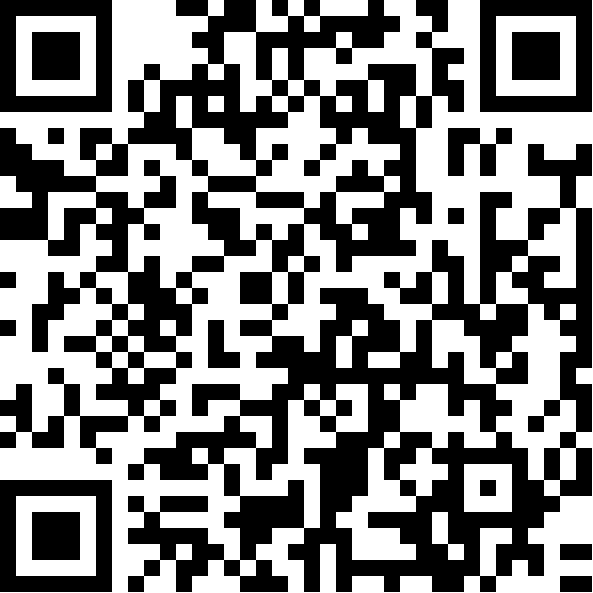
Scan to text 7 Media Group
✓ Opening Messages…
Two-Dimensional.
Infinitely Useful.
A QR Code — short for Quick Response Code — is a two-dimensional barcode. Black squares arranged in a grid can encode far more data than any standard UPC barcode: numbers, URLs, text, and direct actions.
QR codes show up everywhere because modern phone cameras read them instantly. No special app. No extra steps. Point, scan, done.
With 7 Media Group, they do something most QR codes don't — they trigger an SMS opt-in. A scan becomes a subscribed mobile contact, added to your campaign list automatically. No form fills. No landing pages. Just a scan and a send.
You can also generate QR codes that open a mobile web page. When scanned, the phone launches a browser directly into the mobile experience tied to that code.
The QR Code Was Invented to Track Automotive Parts
Denso Wave engineer Masahiro Hara created it to speed up factory floor scanning at Toyota suppliers.
Fast forward 30 years: QR codes are now used for restaurant menus, mobile payments, product marketing, event ticketing, loyalty programs, and direct SMS opt-ins — and 99.5 million Americans will scan at least one this year.
Launch a QR Code
in Four Clicks.
No external QR generators. No copy-paste links. Everything lives inside your mobile campaign dashboard.
Click the QR Code Icon
Find it next to any active mobile campaign in your dashboard. One click opens the QR generator.
Your Unique Code Is Generated
The platform creates a code tied specifically to your keyword and short code. Automatic. No setup required.
Scan Prompts a Text
When a customer scans, their messaging app opens pre-loaded with your keyword and short code. They just hit send.
Scan Becomes a Subscriber
That send is an SMS opt-in. The contact lands in your campaign list and starts receiving messages immediately.
Your actual QR code — generated inside the platform, tied to your campaign, ready to print or display anywhere.
What a QR Code
Can Actually Do.
Most QR codes point to a website. That's fine, but it leaves value on the table. Because codes are scanned on phones, they work best for mobile-first actions — and that's exactly where 7MG takes them further.
SMS Opt-In
The highest-value QR action. Scan opens Messages with your keyword pre-loaded. One send = one subscribed contact. No form, no friction.
Mobile Landing Pages
Send scanners to a mobile web page built on your 7MG platform — specials, menus, event info, product details, or lead capture forms.
Restaurants + Hospitality
QR codes exploded during COVID as touch-free menus became standard. Now they drive specials, loyalty signups, and SMS promotions at the table.
Retail + Events
Window clings, receipts, in-store signage, event booths — anywhere you want foot traffic to become a text subscriber on the spot.
Promotions + Coupons
Scan unlocks a mobile coupon, triggers a loyalty points add, or opens a limited-time offer page — all built inside the 7MG platform.
Campaigns + Tracking
Each QR code is unique to its campaign. You see exactly how many scans became subscribers and how those subscribers behave over time.
Scanning Takes
Four Seconds.
On any modern smartphone — iOS or Android — the native camera app handles it. Nothing to download, nothing to install.
Open Your Camera App
The built-in camera on iPhone and Android both read QR codes natively. No QR reader app needed.
Point at the QR Code
Aim the rear camera at the code. Keep it steady and make sure the full code is in frame.
A Notification Appears
The phone recognizes the code and shows a banner or popup with the action — usually within a second or two.
Tap to Launch
One tap opens the linked action — whether that's a pre-loaded text message, a mobile web page, or a campaign landing page.
Turn Every Scan into
a Mobile Subscriber.
QR-to-SMS is built into the 7 Media Group platform. Let's show you what it looks like for your campaigns.